Current page

Arcus
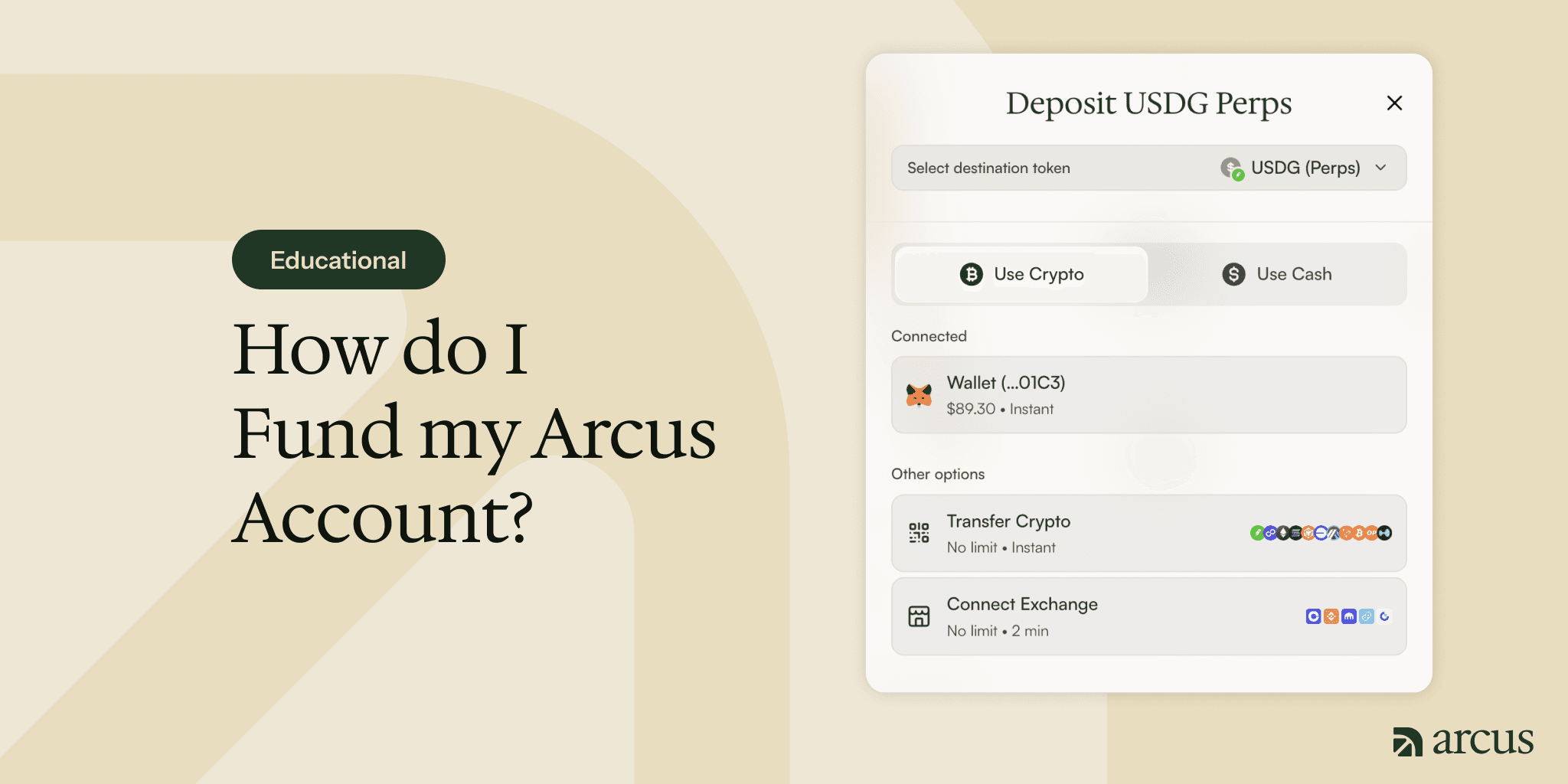
Before you can trade on Arcus, you need funds in your account. There are four ways to add them: connect your Wallet, Transfer Crypto, Connect Exchange, or Use Cash. Whichever you choose, your funds arrive as USDG, the stablecoin Arcus settles in. Here’s how each route works, and what to expect.
What Your Funds Arrive As: USDG
No matter how you fund the account, your balance ends up in USDG, so it’s worth a quick word on what that is.
USDG, or Global Dollar, is a US-dollar stablecoin issued by Paxos. A stablecoin is a token designed to hold a steady value, and USDG is built to always be worth one US dollar. It’s redeemable one-to-one for dollars and backed by cash and short-term US Treasuries held in segregated accounts.
In practice, USDG behaves like a digital dollar in your account. Prices across Arcus are shown in US dollars, and your USDG balance is what you trade with.
First, Choose Where Your Funds Land
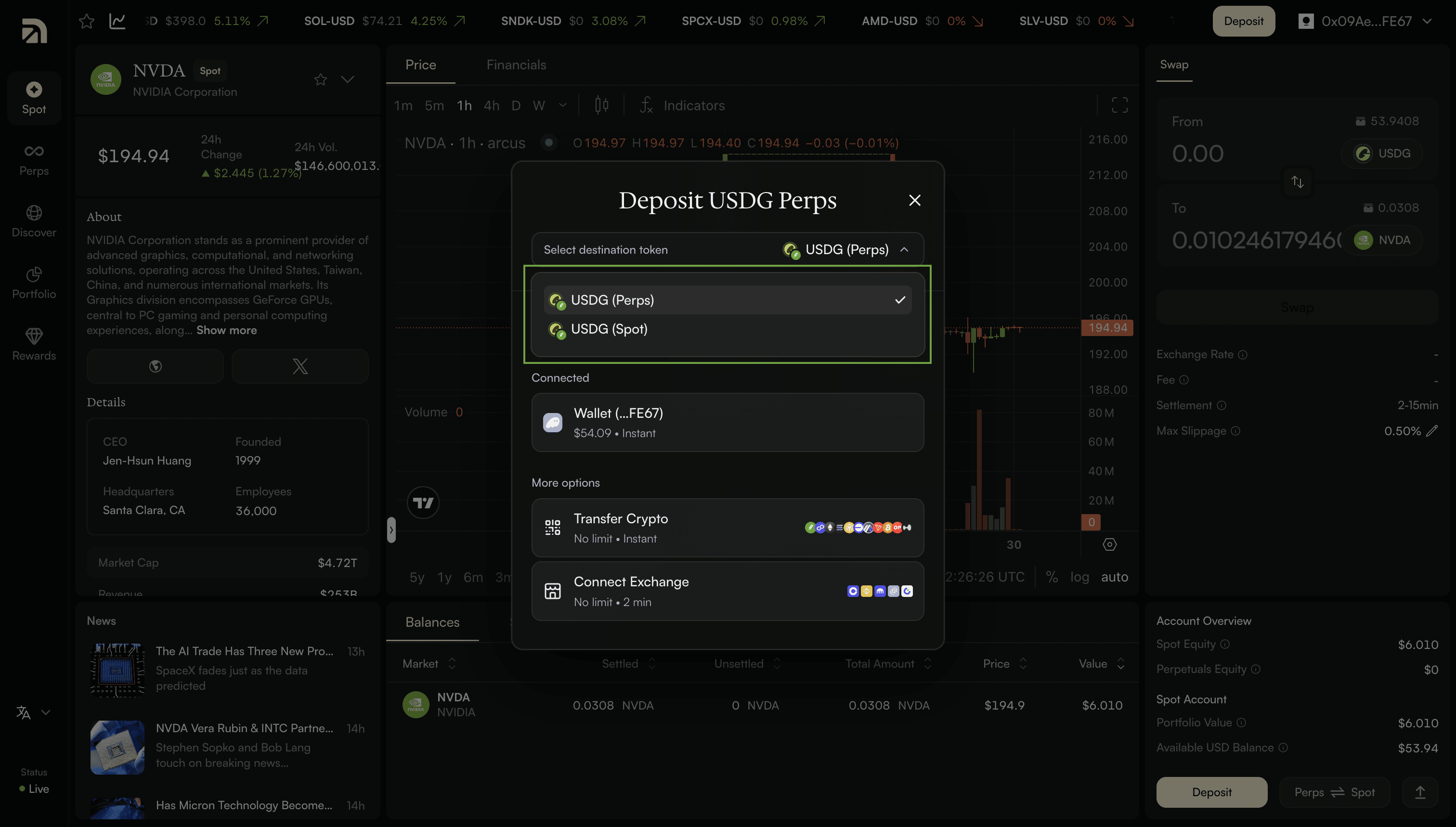
When you click Deposit, you’ll pick a destination: your Spot account or your Perps account. Spot is for trading Stock Tokens. Perps is for trading perpetuals. The deposit screen labels these as USDG (Spot) and USDG (Perps). Pick whichever side you plan to trade first. You can move funds between the two later, so this isn’t a permanent choice.
Route 1: Wallet
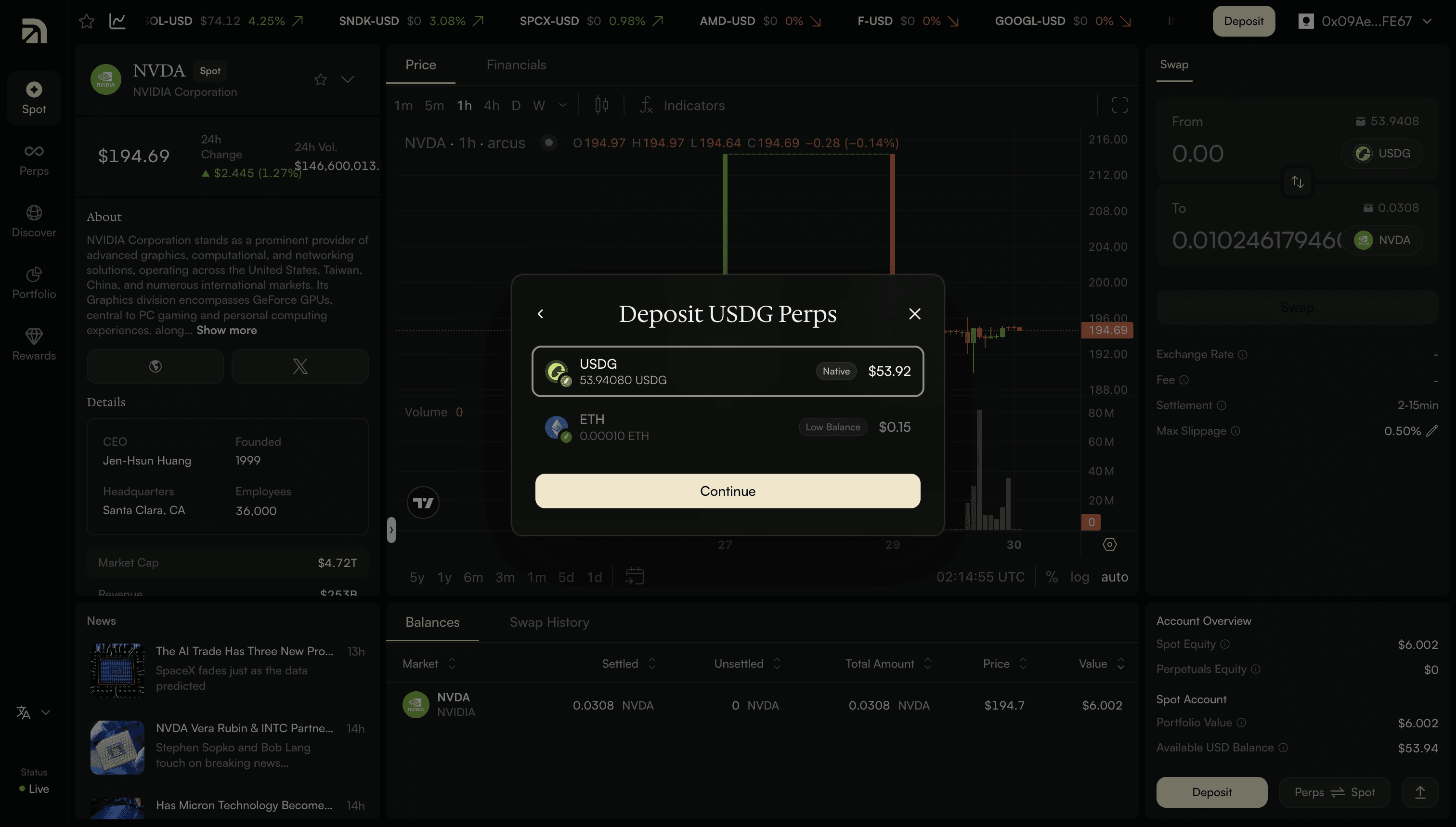
If you’ve already connected a wallet, this is usually the simplest way to fund. On the deposit screen, your connected wallet appears under Connected, with its balance and an Instant tag, alongside the other crypto options.
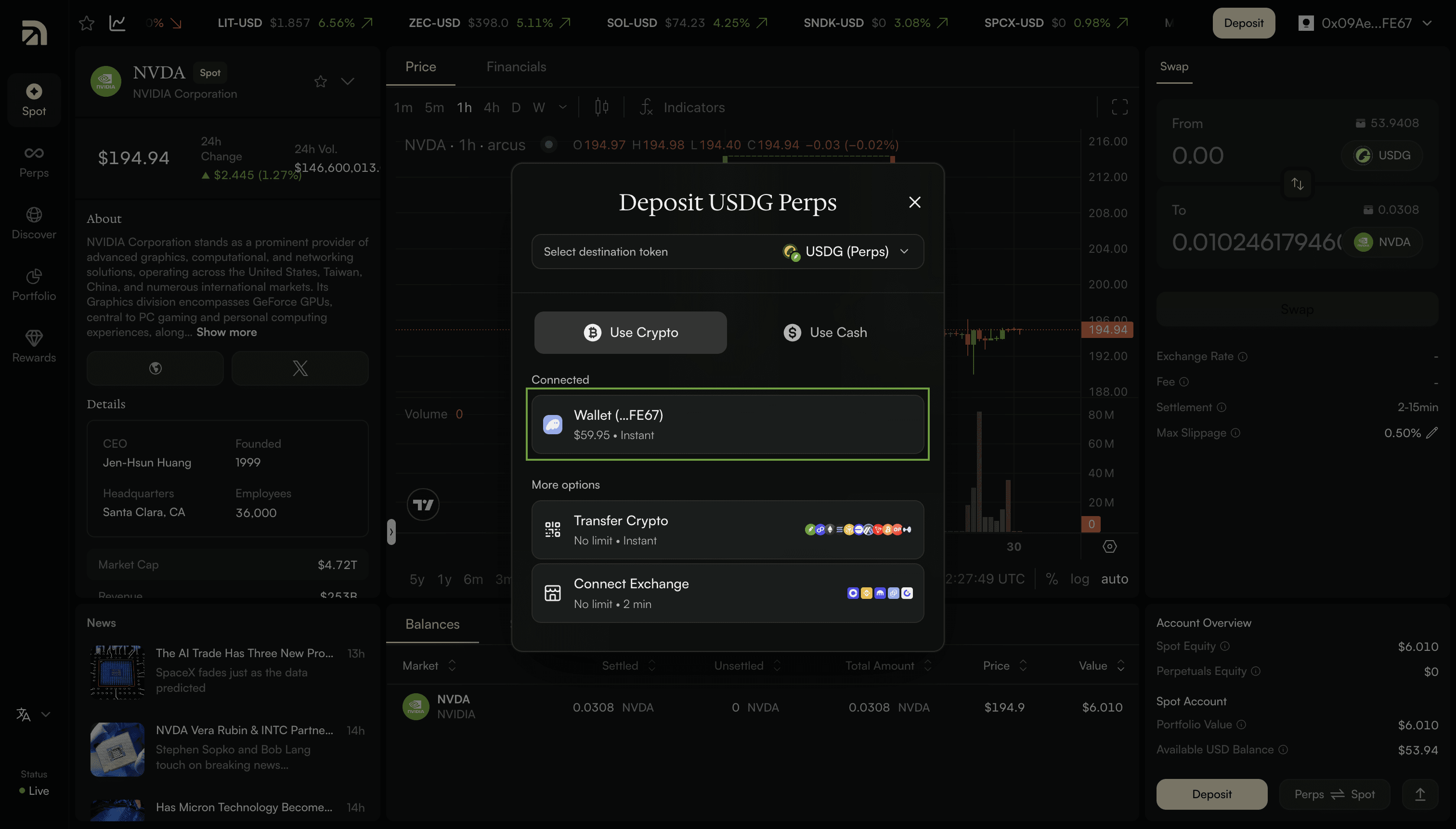
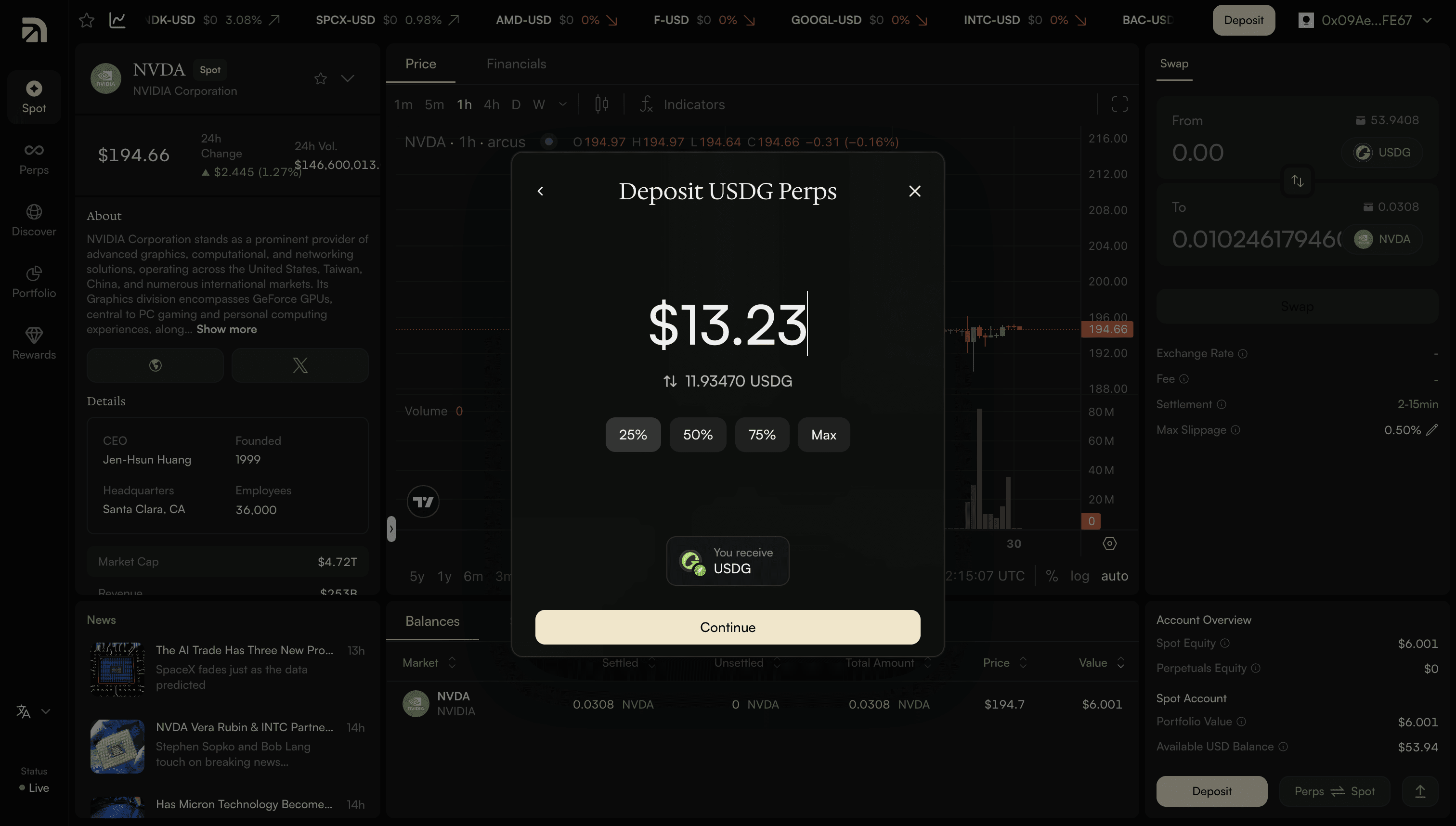
Select your wallet, then pick the asset you want to deposit. Arcus shows everything you’re holding, like USDG, ETH, and more. Enter an amount, or tap 25%, 50%, 75%, or Max, and you’ll see exactly how much USDG you’ll receive.
Route 2: Transfer Crypto
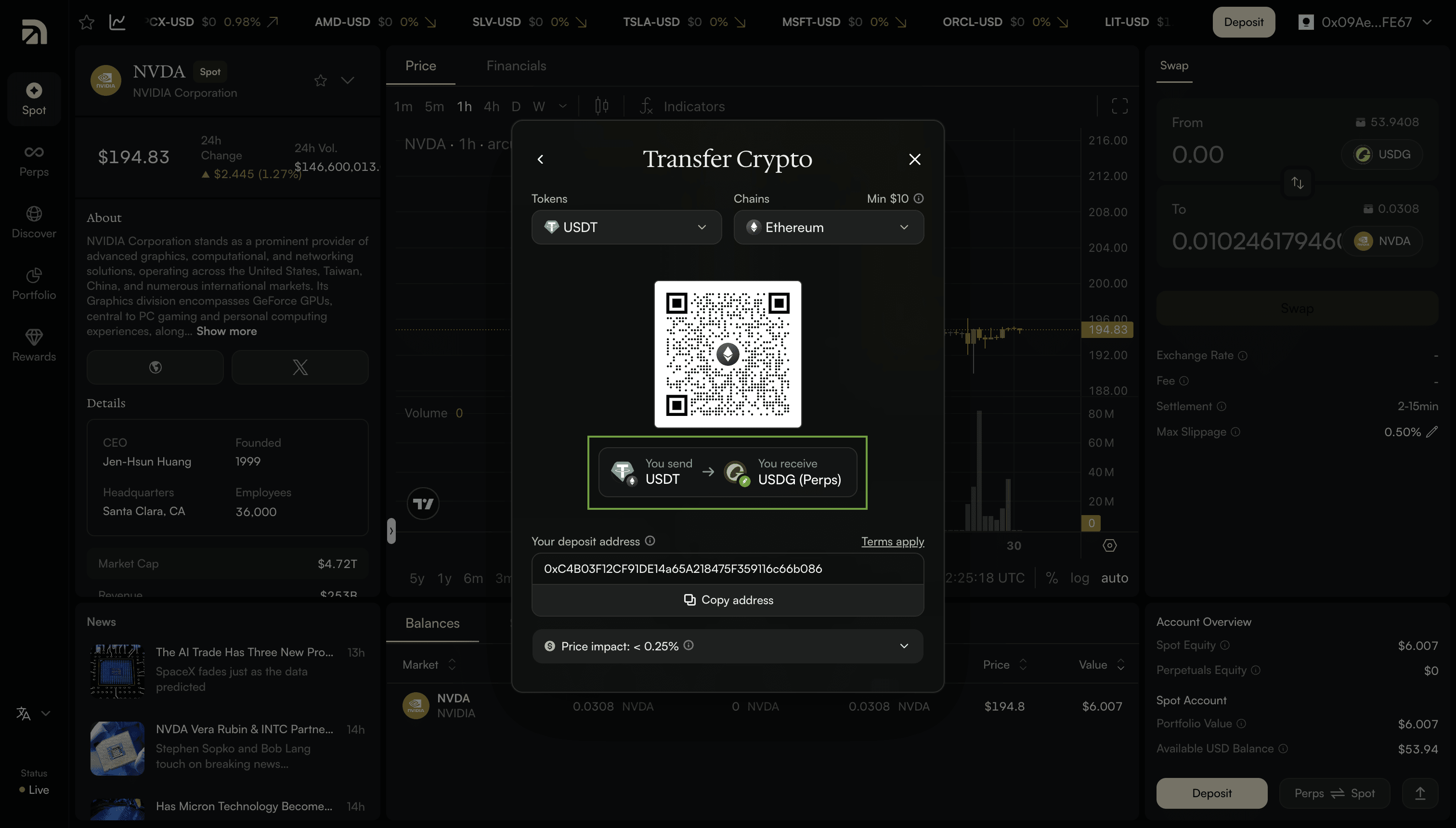
If you’d rather send from somewhere else: another wallet, a hardware wallet, or anywhere you hold crypto, you can transfer to a deposit address. Choose the token you want to send and the chain it’s on. Arcus supports the major ones, including Ethereum, Arbitrum, Base, Solana, and Bitcoin, across tokens like USDC, ETH, and BTC, and many more.
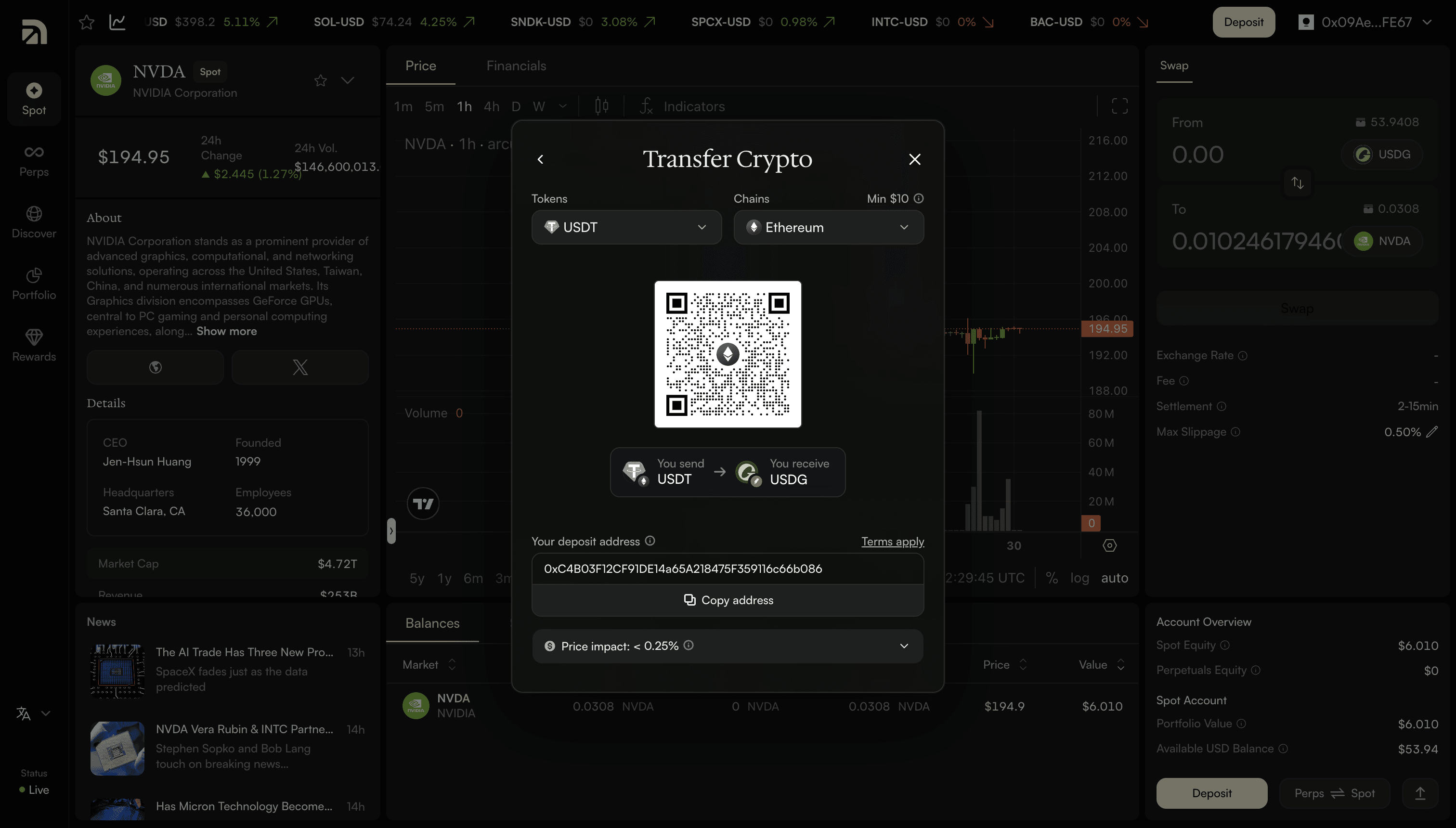
Arcus shows you a deposit address and a QR code. Send your crypto there, and it converts to USDG and lands in your account, usually within moments. Transfers are instant on most chains, with a small minimum deposit of around $3. Some chains, like Ethereum and Bitcoin, have a higher minimum, so check the minimum shown on screen before you send. The conversion happens automatically, and the screen shows what you’ll receive.
Route 3: Connect Exchange
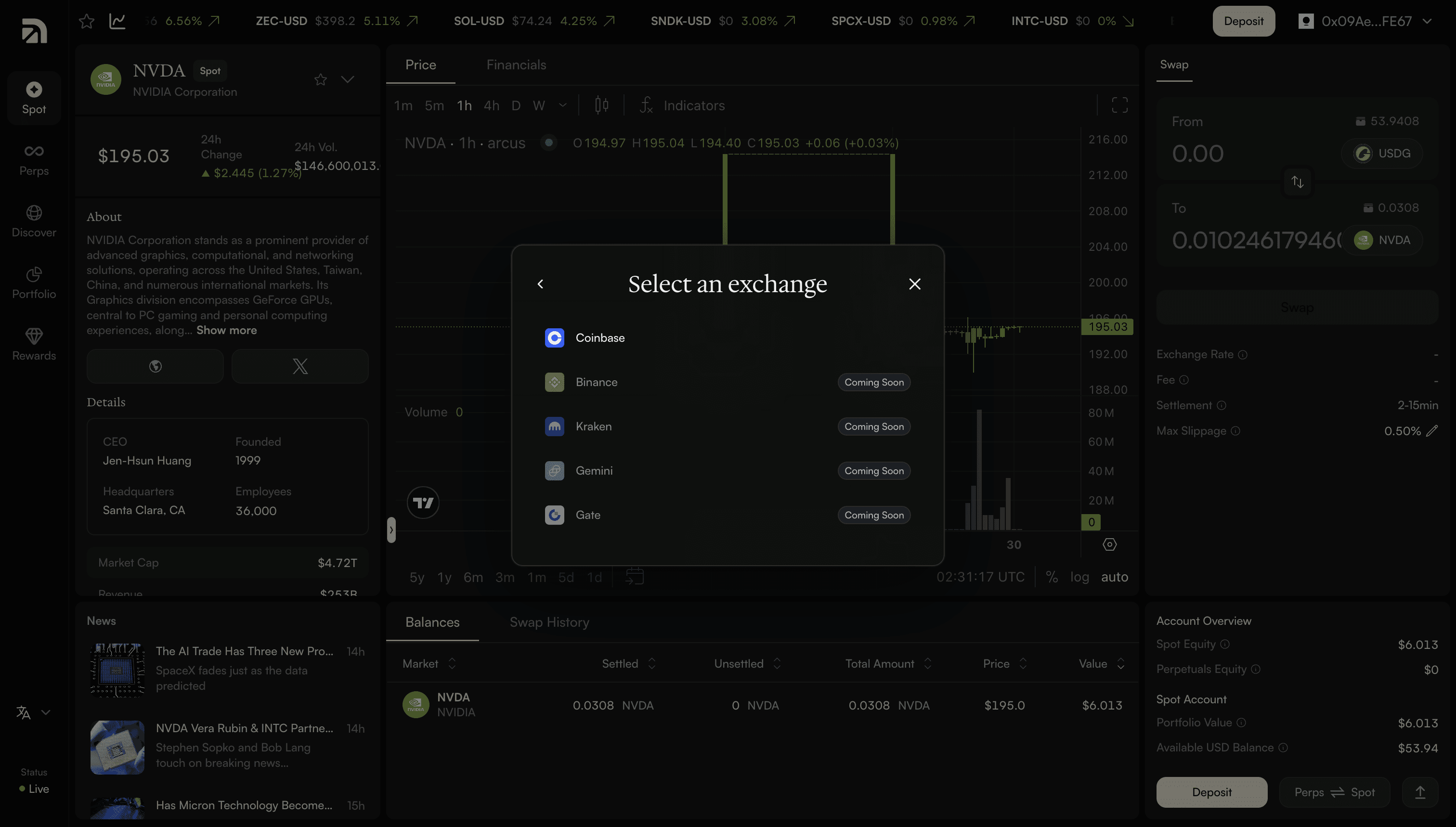
If your funds are sitting on a centralized exchange, you can pull them straight across without a manual transfer. Connect your exchange account, and the funds move into Arcus as USDG. Coinbase is supported at launch, and the process takes about two minutes.
Route 4: Use Cash
If you’re starting from cash rather than crypto, you can fund directly. Arcus supports Apple Pay, Google Pay, a debit or credit card, and AstroPay. Choose an amount: with quick options like $100, $200, $500, and $1,000, or enter your own, and your payment is converted to USDG and deposited.
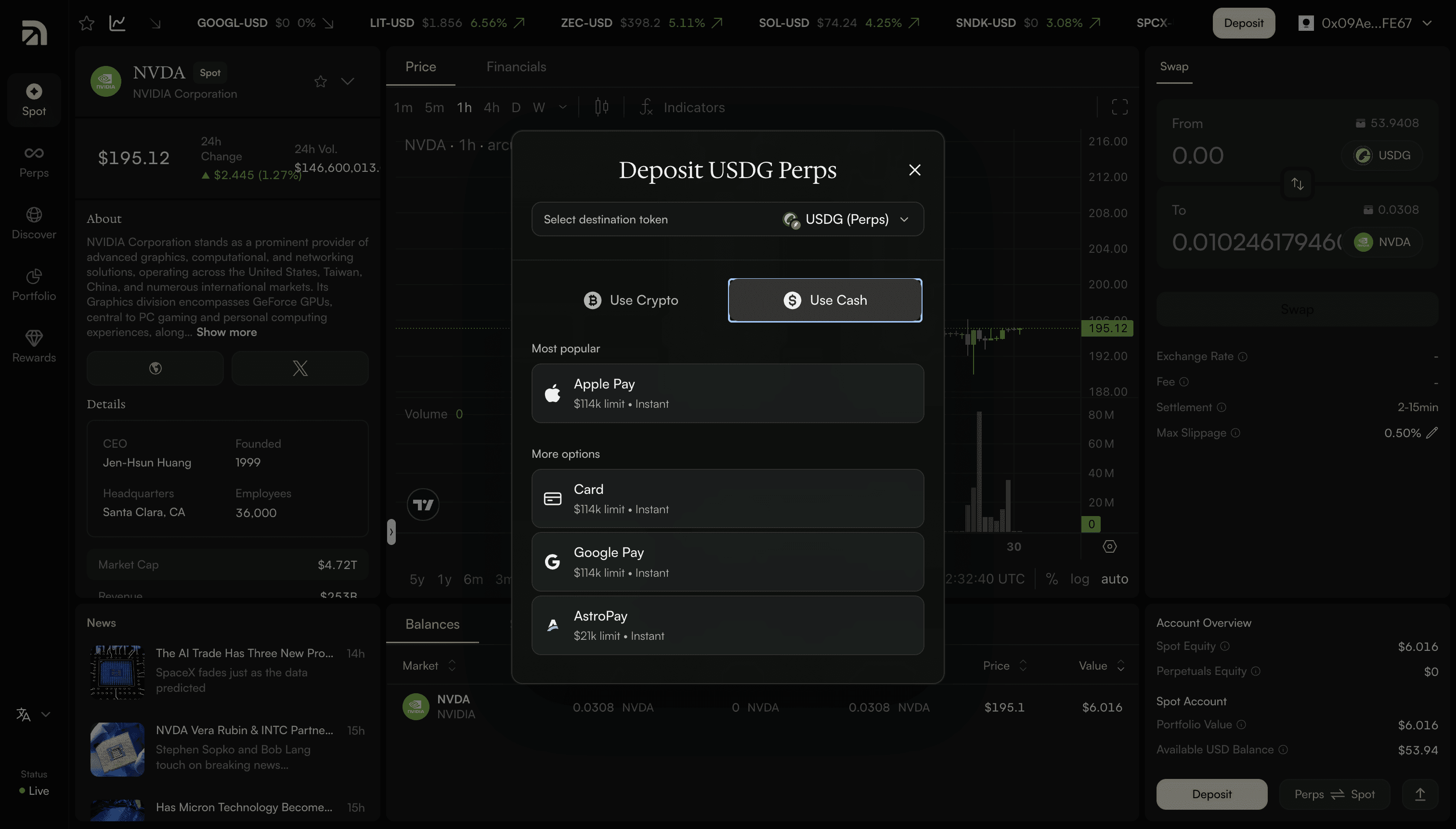
Before you confirm, Arcus shows you a quote: the amount, the conversion rate, and any processing fee, so there are no surprises. This is the simplest route if you’ve never held crypto before, it works like any online checkout.
The four routes at a glance
Route | Speed | Minimum | Best for |
|---|---|---|---|
Wallet | Instant | Low (varies by asset) | Anyone with a connected wallet; usually the easiest |
Transfer Crypto | Instant on most chains | Around $3 on most chains | Sending from another wallet or address |
Connect Exchange | About two minutes | No set minimum | Funds on an exchange; Coinbase at launch |
Use Cash | Instant | Small amounts | Starting from regular money |
Fees and Minimums
Arcus doesn’t charge a deposit fee of its own. The costs you might see come from third parties, like a card processor or a blockchain network fee, and they’re always shown upfront: in the quote or on the deposit screen, and before you confirm. Minimums are low: around $3 to transfer crypto on most chains, and small amounts work fine for wallet and cash deposits too.
Moving Funds Between Spot and Perps
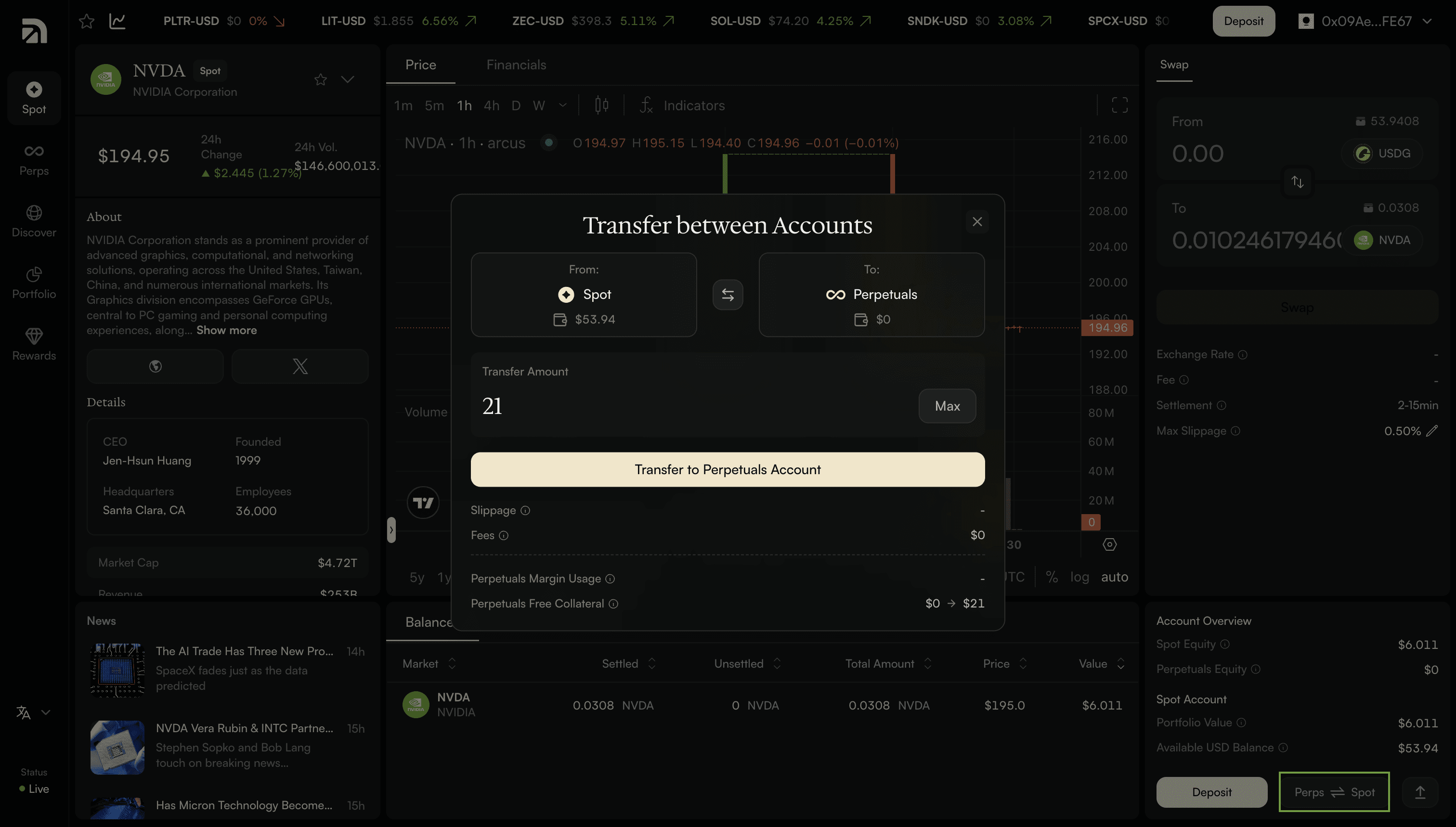
Once your funds are in, you’re not stuck with the side you chose. Use the Perps and Spot toggle to shift USDG between your Spot and Perps accounts whenever you want. Fund once, trade either side.
TL;DR
You can fund an Arcus account four ways: connect your Wallet and deposit an asset you already hold, Transfer Crypto to a deposit address from almost any major chain, Connect an Exchange like Coinbase, or Use Cash through Apple Pay, Google Pay, card, or AstroPay.
Whichever you choose, your deposit converts to USDG, a US-dollar stablecoin, and lands in either your Spot or Perps account. Arcus charges no deposit fee of its own, minimums are low, and you can move funds between Spot and Perps anytime. (New here? See How Do I Start Trading on Arcus? for the full first-time walkthrough.)
—
Arcus is a blockchain-based smart contract protocol that permits self-custodial peer-to-peer trading of Stock Tokens, cryptoassets and perpetual futures. Arcus is not a regulated financial services provider, and it is not available in the U.S., Canada, United Kingdom and other restricted jurisdictions.
Stock Tokens are tokenised securities issued by Robinhood Assets (Jersey) Limited under its Tokenised Products Programme. They are created and redeemed by the Issuer, with subscriptions, redemptions and/or distributions facilitated by Bitstamp Global Ltd as an Authorised Participant where specified. Stock Tokens provide economic exposure to a relevant underlying equity instrument or ETP through a contractual claim against the Issuer for a cash Redemption Amount linked to that underlying, but they do not confer ownership of the underlying or shareholder rights, including voting rights, direct dividend rights, or rights in the insolvency or administration of the underlying issuer. Stock Tokens involve risks not present, or not present to the same extent, in traditional stock ownership, including private-key loss or compromise, limited redemption access, liquidity constraints, price or tracking divergences from the underlying, and uncertain or evolving regulatory treatment.
Trading Stock Tokens, cryptoassets or perpetual futures is risky and involves risks of loss, particularly when using leverage. DYOR. NFA.
What is Arcus?
Arcus is a decentralized exchange built in partnership with Robinhood on Robinhood Chain. Users from eligible jurisdictions get one self-custodied account to trade Stock Tokens (spot, zero fees, 24/7), and cross-margined perpetual futures across equities, crypto, commodities, and indices - 24/7, with up to 50x leverage.
When is Arcus Launching?
Arcus is live in Beta. Spot Beta is open now to all eligible users, no waitlist needed. Perps Beta opens July 1, 2026, starting with waitlisted users and rolling out by cohort, ahead of a full launch later in the year. Join the waitlist and we'll let you know when your cohort opens. Arcus isn't available in the United States, United Kingdom, Canada, or other restricted jurisdictions, as set out in the Terms of Use.
What's the connection to dYdX?
Arcus is the next chapter for the team that built dYdX. dYdX Chain continues to operate. Arcus introduces new asset classes - equities, indices, commodities - alongside crypto perps, on a chain purpose-built for the throughput these markets require.
How does the waitlist work?
Only perps are waitlisted; Spot Beta is open to all eligible users. To join the waitlist, visit waitlist.arcus.xyz, and connect your wallet and X account. Your position comes down to two things: your prior on-chain trading history (perps volume across venues like dYdX, Hyperliquid, and Lighter, with real-world-asset (RWA) volume as a bonus), and referrals of other validated traders. You can connect multiple wallets to aggregate your history and move up faster. The earlier you join, the earlier you trade.
Where can I learn more?
Read the Arcus blog, follow @arcus_xyz on X, and join our Telegram for live updates.